Clean
Data will be lostPrepare a disk from scratch quickly, or erase it so the data cannot be brought back with ordinary software.
- LiteQuick format: exFAT, APFS, Mac OS Extended, FAT32
- ProErase the whole disk with verification and a PDF certificate
A disk manager for macOS
Formatting, irreversible erasure with a certificate, partitioning, checks, images and clones, bootable drives, file recovery. Nothing is erased until you type the confirmation word.
For macOS 14 and later. Lite is free, with no time limit and no sign-up. Pro is a one-time license.
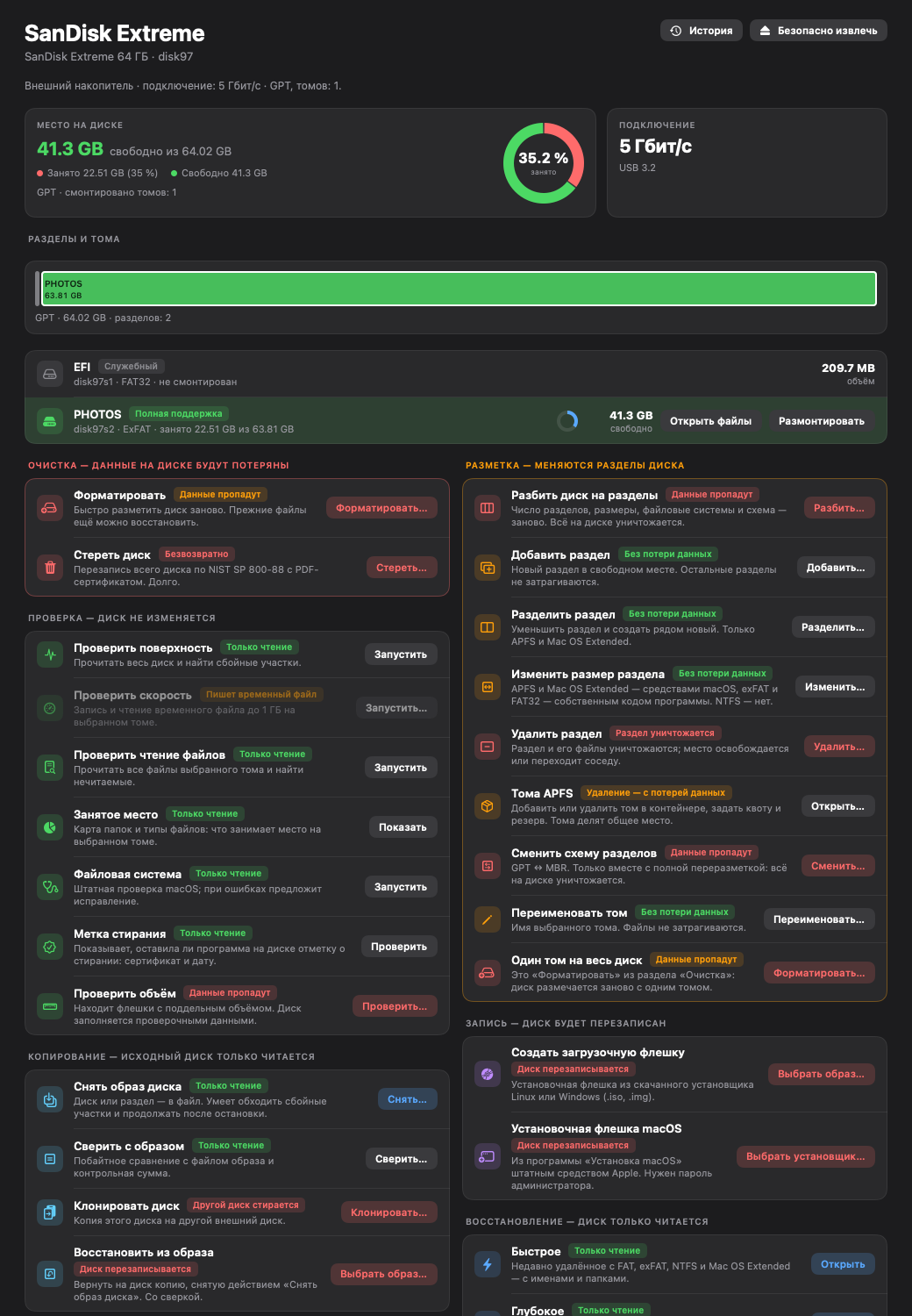
The app itself is organized the same way, and every action carries a label: “Read-only”, “Data will be lost” or “Irreversible”.
Prepare a disk from scratch quickly, or erase it so the data cannot be brought back with ordinary software.
Partitions, APFS volumes, GPT and MBR. Each action is labeled honestly: “No data loss” or “Data will be lost”.
Find bad areas, test speed, file readability and the file system. The speed test writes a temporary file and the capacity check destroys data — the app warns you.
Install drives from an image: Linux and Windows (.iso, .img) and the macOS installer.
A disk to an image file, compare with an image, clone a disk, write an image back. The target disk is erased — the app says so plainly.
A quick search for recently deleted files with names and folders, and a deep search across the whole disk. Success is not guaranteed — see the questions below.
An app that erases disks has to earn trust first. Everything below is built into the app itself, not just written on this site.
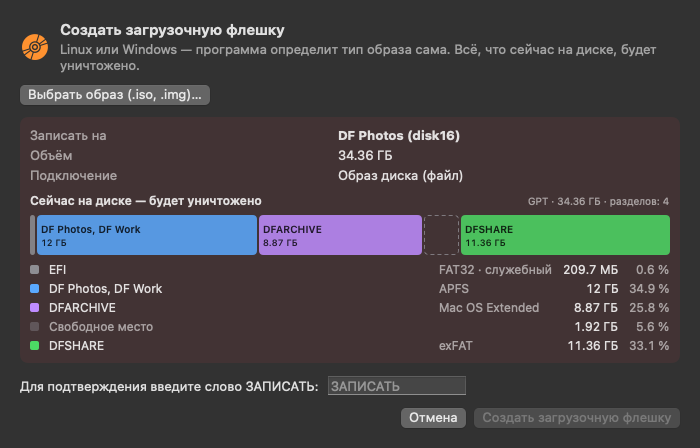
Before writing, the window shows what is on the disk now and will be destroyed, and waits for the confirmation word.
The full wording is in the erasure and recovery disclaimer (a draft awaiting legal review).
The windows where decisions are made. Hints, colors and warnings are the same as in the app.
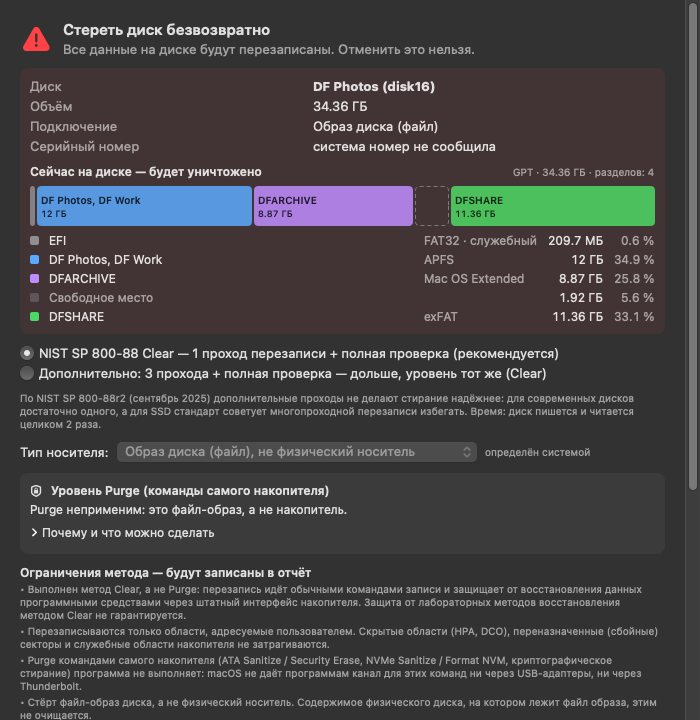
The window shows what is on the disk and will be destroyed, offers the Clear method (one pass plus full verification), and lists the method's limitations, which will go into the certificate, before anything starts.
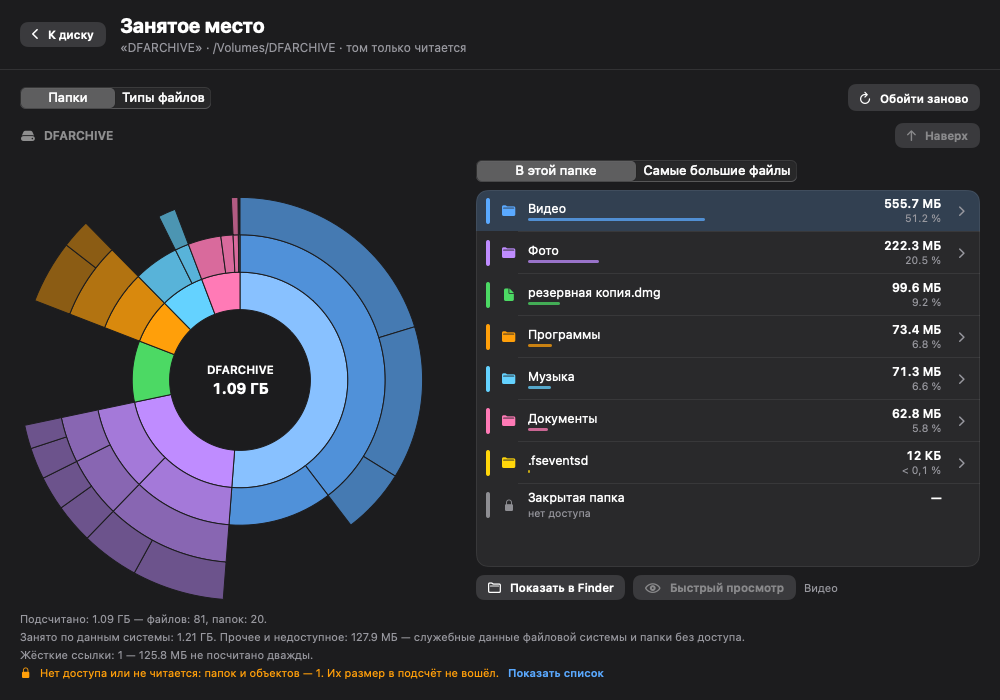
A ring chart of folders, the largest files and file types. View only: nothing is deleted.
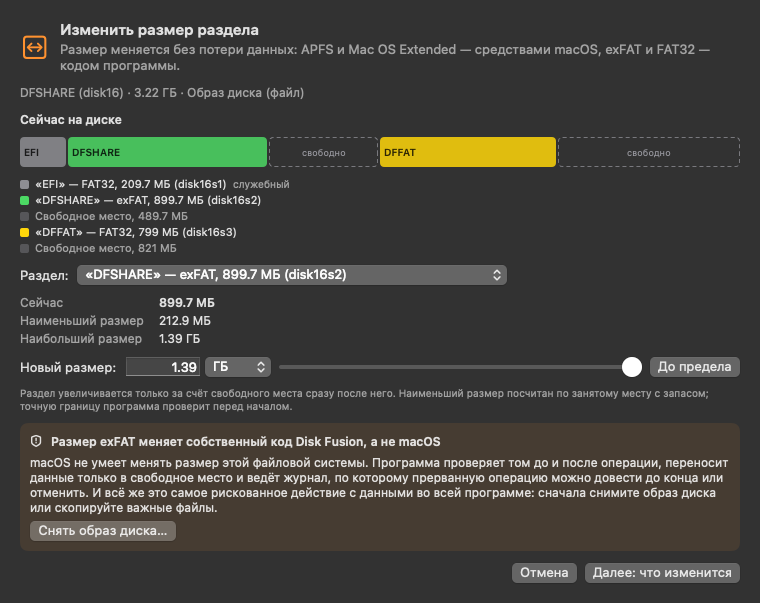
APFS and Mac OS Extended are resized by macOS; exFAT and FAT32 by the app's own code; NTFS cannot be resized. The window says which method will be used.
Found files with a chance rating. The disk is only read, and you save what you find to a different disk.
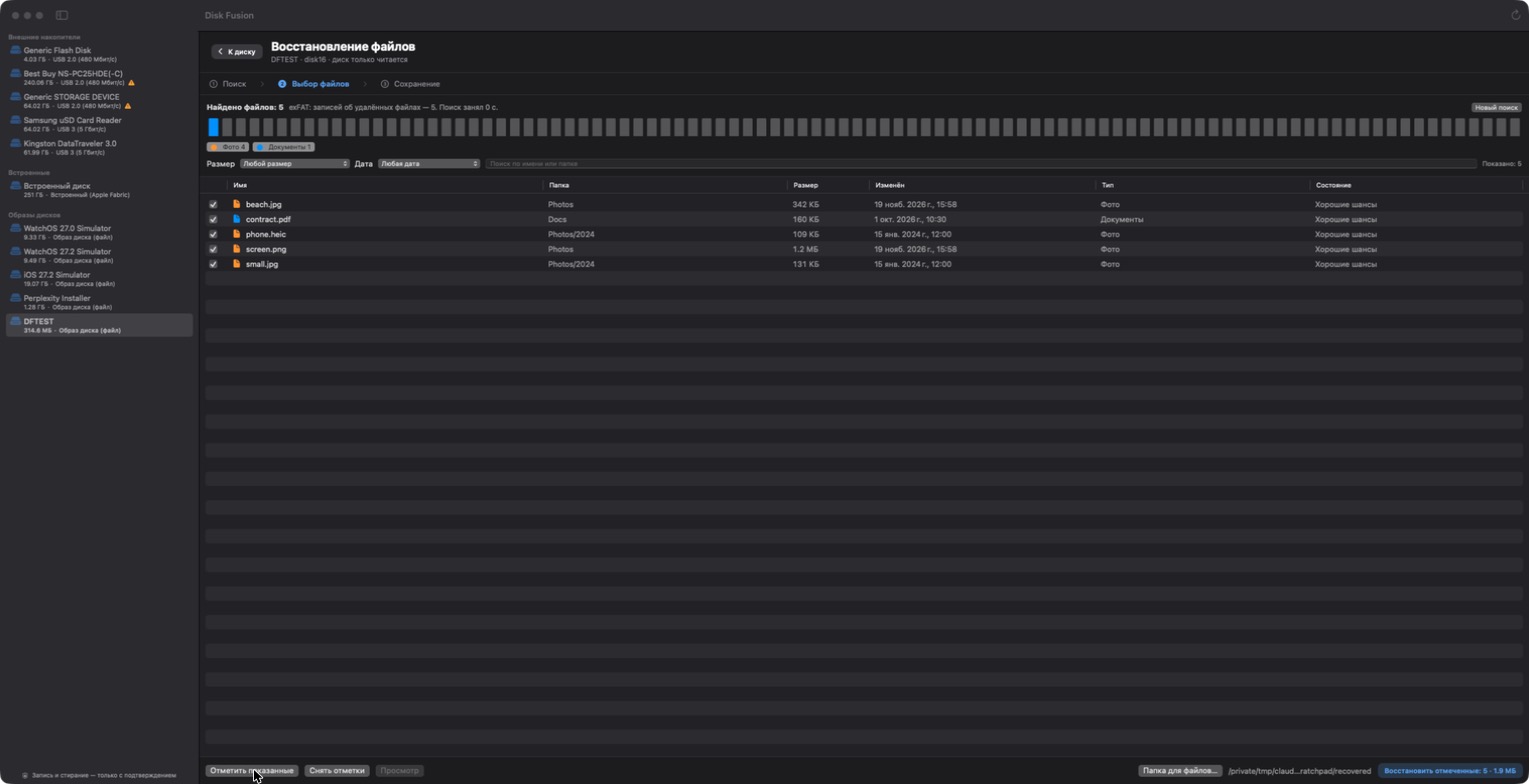
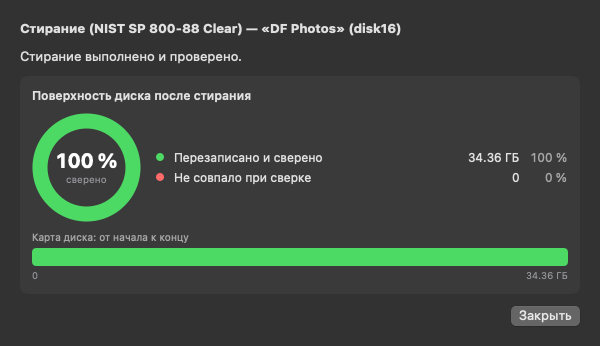
These screenshots show the Russian interface and drives that were at hand during development. TODO: replace with English-interface screenshots of a clean test system before publishing TODO: 20–30 second video or GIF: pick a drive → erase → confirmation word → certificate
After erasing, the app reads the disk back and compares it. A certificate is issued only when the whole device was overwritten and verified. If erasure was interrupted or verification failed, you get a report that says so plainly — not a certificate.
Lite is a real disk app, not a trial: it does not expire. Pro adds what you need for working with data.
| Feature | Litefree | Pro$190 |
|---|---|---|
| Browse disks, partitions and files; mount and safely eject; action history | included | included |
| Quick format: exFAT, APFS, Mac OS Extended, FAT32; rename a volume | included | included |
| Repartition from scratch: partitions, APFS volumes, GPT or MBR scheme | included | included |
| Checks: surface, speed, file readability, file system, erase mark | included | included |
| Erase a disk with verification and a PDF certificate | not included | included |
| Partition changes without data loss: add, split, resize | not included | included |
| Space map | not included | included |
| Real-capacity check for flash drives | not included | included |
| Bootable drives: Linux, Windows, macOS installer | not included | included |
| Disk images and clones: create, compare, clone, restore | not included | included |
| File recovery: quick and deep | not included | included |
Lite is free, with no time limit and no sign-up. It includes disk browsing, formatting, repartitioning and checks; the full list is in the table above.
The app uses the Clear method of NIST SP 800-88 Rev. 2: overwriting the whole disk and verifying it in full. It protects against recovery with software tools. It does not protect against laboratory techniques, does not touch hidden and remapped areas, and on SSDs and flash drives cannot guarantee that every physical copy is destroyed.
If your data needs more (Purge with the drive's own commands, or physical destruction), that is a decision for you and your organization. More in the guide to securely erasing a USB drive.
The erase window shows the disk's name, size and connection and everything on it now, and waits for a confirmation word. The built-in system disk is never erased. But checking the name and size is your job, and a backup is always needed.
We do not promise it. The result depends on the condition of the media and on what happened after deletion. On SSDs with TRIM, deleted data usually cannot be brought back; encrypted volumes and the built-in system disk are not supported. Recovery only reads the disk: do not save what you find onto the same disk, and stop using it as soon as you notice a loss.
The contents of your disks, file names and operation results stay on your Mac. The app contacts a server only to activate and re-check a Pro license; without a key it does not contact the server. Details are on the Privacy page.
No. Pro is a one-time license for one seat with a year of updates. Price: $190. What happens when the year ends is on the Pricing page.
macOS 14 and later. Apple silicon and Intel: TODO: confirm with a build for both architectures.
macOS cannot write to NTFS, so the app does not resize NTFS partitions. The app can search NTFS volumes for files during recovery. A Windows bootable drive is built on FAT32 and exFAT — see the guide.
Open your disks, check them, and see how the app warns you at every step. If you later need certified erasure, a bootable drive or file recovery, add Pro.